
Bear - Markdown Notes
Bear is a beautiful, powerfully simple Markdown app to capture, write, and organize your life.
Free · Pro

Siri AI + Shortcuts
Michael Douglas · iPhone · iPad · Free
Afterpage is a home for the documents you don't want to lose.
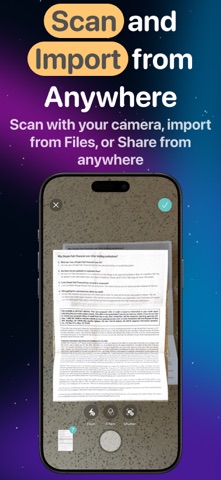
Afterpage is a home for the documents you don't want to lose. Receipts, deeds, warranties, insurance policies, medical records, tax paperwork, the stuff that used to live in a shoebox or a drawer now lives in one place, organized the way you think about it, and easy to find the next time you need it. ORGANIZE YOUR WAY Give a document a tag, a category, or a contact, and it's filed. Name them, color them, pick an icon, and Afterpage keeps track of what you use most so your Home tag or your Taxes 2025 category shows up right when you need it. There's no folder structure to fight with. A tag can connect to other tags, categories, or documents on its own terms, so your Yellowstone Road Trip tag can pull in the Vehicles category without forcing everything into a rigid hierarchy. FIND ANYTHING, FAST Search isn't stuck in one tab. Open your household documents, a warranty folder, or a single contact, and search right there. Afterpage reads the text off every page you scan or import, so a search for "Alitalia" finds the flight confirmation even if you never typed that word into a tag. Results are ranked by relevance, so the document you want shows up first. GET DOCUMENTS IN, THREE WAYS Scan a document with the built-in camera, import a PDF or image from Files, or share it in from Mail, Safari, or Photos without leaving the app. Afterpage stitches multi-page scans into one PDF and reads the text automatically, whether it's a scanned page or an emailed invoice that already has text in it. NO ACCOUNTS. NO CLOUD BUT YOURS. There's no sign-up, no login screen, nothing to remember a password for. Afterpage syncs your documents through your own iCloud account, the same way Photos and Files do. We don't run a server that stores your documents, because we don't need one. AFTERPAGE PRO Subscribers can add a custom background image behind a tag or category on top of the standard icon and color options, so your Disney World 2026 folder can look like your trip. Pro is available monthly, yearly, or as a one-time lifetime purchase. Afterpage isn't a scanner and it isn't an editor. It's where your documents go after that, organized, searchable, and yours. -- Privacy Policy: https://afterpage.app/privacy Terms of Service (Apple standard EULA): https://www.apple.com/legal/internet-services/itunes/dev/stdeula/
App Store category: Productivity. Visit the App Store for current details and pricing.




Bear is a beautiful, powerfully simple Markdown app to capture, write, and organize your life.
Free · Pro

Get things done! The award-winning Things app helps you plan your day, manage your projects, and make real progress toward your goals.
Paid

Outlook lets you bring all your email accounts and calendars in one convenient spot.
Free
Public app information and artwork come from the App Store. Sponsorship does not determine listing approval. Report a correction