
CapyCare: Your Self-Care Pet
Care for a virtual pet while building self-care routines.
Free

Siri AI + Shortcuts
Jonathan Delaire · iPhone · iPad · Apple Watch · Free
Set is a private strength-training companion for the complete training loop: plan the work, run the session, capture what happened, understand the result, an…
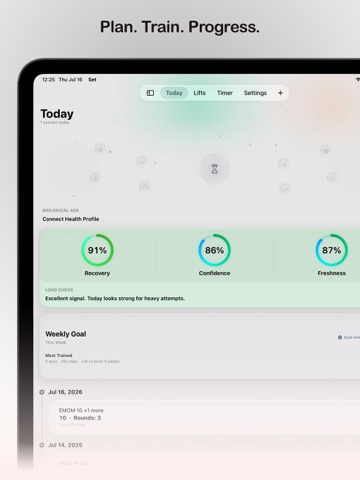
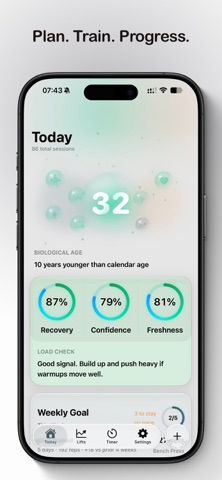
Set is a private strength-training companion for the complete training loop: plan the work, run the session, capture what happened, understand the result, and make a better next decision. No social feed. No ads. No account required. Just your training, your readiness, and your progress. PLAN, GENERATE, AND IMPORT Build workouts from an idea, a coach document, a photo, or an existing program. On iOS 27 and later, Generate Workout can create a Strength, Hypertrophy, or Conditioning session using recent training and stored maxes as context. Review the draft, regenerate it, start now, save it, or schedule it. Import text and Open Workout Markdown on every supported iOS version. Photo and PDF workout imports require iOS 27 or later. Open import from shared files, Siri, or Shortcuts. Review every result before it changes your training history. Organize reusable workouts into Programs and keep today's planned work close at hand. RUN AND CAPTURE Log training with natural text, dictation, or a workout photo. Run planned sessions set by set, update completed reps and loads, add extra work, dismiss without losing progress, and resume from Today, widgets, or a Live Activity. Use dedicated AMRAP, For Time, EMOM, and Interval timers with audio and haptic cues. Scan percentage or RPE templates, correct detected targets, and resolve exact loads from your current maxes before training. UNDERSTAND THE RESULT Track estimated 1RM, rep maxes, percentage targets, trends, and lift-specific insights. Set Unlimited adds Load Check training guidance using available recovery signals, Set history, soreness, planned work, and lift freshness—with clear source, freshness, and scoring details. Load Check is training guidance, not a medical measurement. Create local 30-day, 90-day, or custom trend reports to discuss with a coach. Structured conditioning sessions can show an estimated whole-number watts output when enough data is available. Supported lifts can use video review and bar-path tools with one-rep trim, manual correction, path metrics, and overlay export. BUILT FOR APPLE DEVICES Use Home Screen and Lock Screen widgets, Live Activities, Siri, Shortcuts, Spotlight, Control Center, and Apple Watch to reach training tools quickly and keep eligible sessions moving. PRIVATE BY DEFAULT Your training records are local-first. Export and restore Set Backup files, import history from CSV or TSV, and enable iCloud sync only when you choose. Permissions stay tied to the feature you start. Workout generation and supported import paths use Apple's Private Cloud Compute. Set Starter includes generous limits. Set Unlimited is a one-time lifetime unlock. No subscription.
App Store category: Health & Fitness. Visit the App Store for current details and pricing.




Public app information and artwork come from the App Store. Sponsorship does not determine listing approval. Report a correction

